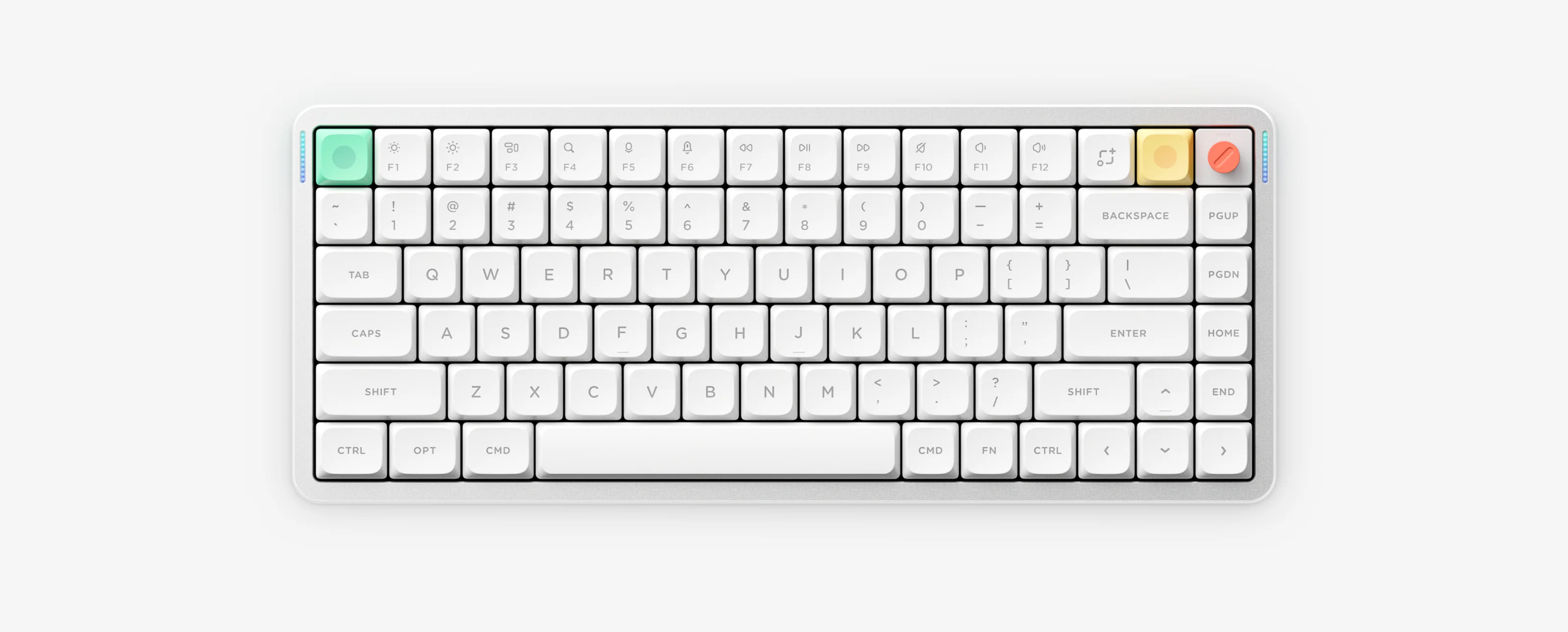
NuPhy Halo75 V2 guide: QMK/VIA vs NuPhyIO (IO) dual-edition warning, different battery LED tiers (plus Purple Win Lock on IO), FN + M + ? Halolight toggle and FN + [ reset.
Halo75 V2 is an 83-key high-profile gasket-mount tri-mode keyboard featuring Halolight 2.0 auxiliary illumination and a 4000mAh battery. Confirm whether your unit is QMK/VIA or Halo75 V2 (IO) before configuring or reading battery percentages.
Halo75 V2 10-Second Cheat Sheet
Two editions
QMK/VIA edition OR Halo75 V2 (IO) — never mix files
FN + M + ?Cycle Halolight 2.0 auxiliary light groups on or off
FN + ]Toggle 6-minute auto-sleep mode
FN + \Toggle persistent battery LED display
FN + [Hold 3 seconds (without Shift) to factory reset
Edition Differences & Hardware Notes
Halo75 V2 (83 keys, ~320 × 135 mm, ~1020 g, 4000mAh) uses south-facing RGB and Halolight 2.0.
Notice the critical battery LED difference: QMK/VIA units report Green 81–100% / Yellow 51–80% / Orange 21–50% / Red 0–20%, whereas Halo75 V2 (IO) units report Green 91–100% / Yellow 51–90% / Orange 11–50% / Red 0–10% plus a Purple Win Lock state.
Hold FN + [ without pressing Shift for 3 seconds to factory reset. Charge via 5V/1A adapter or computer USB port.
Halo75 V2 Specifications
Layout
75% high-profile, 83 keys.
Construction & RGB
Gasket mount, south-facing RGB plus Halolight 2.0 auxiliary lighting.
Connectivity & polling
2.4GHz (1000Hz), USB-C wired (1000Hz) and Bluetooth 5.0 (125Hz).
Size and weight
~320 × 135 mm; ~1020 g.
Battery
4000mAh; charge via standard 5V/1A charger or PC USB port.
Configuration editions
Separate QMK/VIA or NuPhyIO (IO) editions (non-interchangeable).
Stop unwanted 6-minute sleep disconnects, find ANSI vs JIS/ISO factory reset shortcuts, and follow safe reset/Recovery rules.
Halo75 V2 Frequently Asked Questions
How are Halo75 V2 QMK/VIA and Halo75 V2 IO different?
They run completely different firmware and configurators (VIA vs NuPhyIO) and also use different battery LED percentage tiers. Never flash firmware or import JSON files from one edition onto the other.
What does a purple LED on Halo75 V2 mean?
On the Halo75 V2 IO edition, a solid purple indicator means the Windows key is locked (Win Lock).
How do I turn off Halolight 2.0 auxiliary lights on Halo75 V2?
Press FN plus M plus question mark to cycle auxiliary light groups on or off, and use FN plus the Down arrow or FN plus the right bracket sleep toggle for main backlight control.
How do I factory reset Halo75 V2 properly?
Hold FN plus the left bracket key for 3 seconds without pressing Shift. Re-pair Bluetooth devices afterward.