Air60 V2
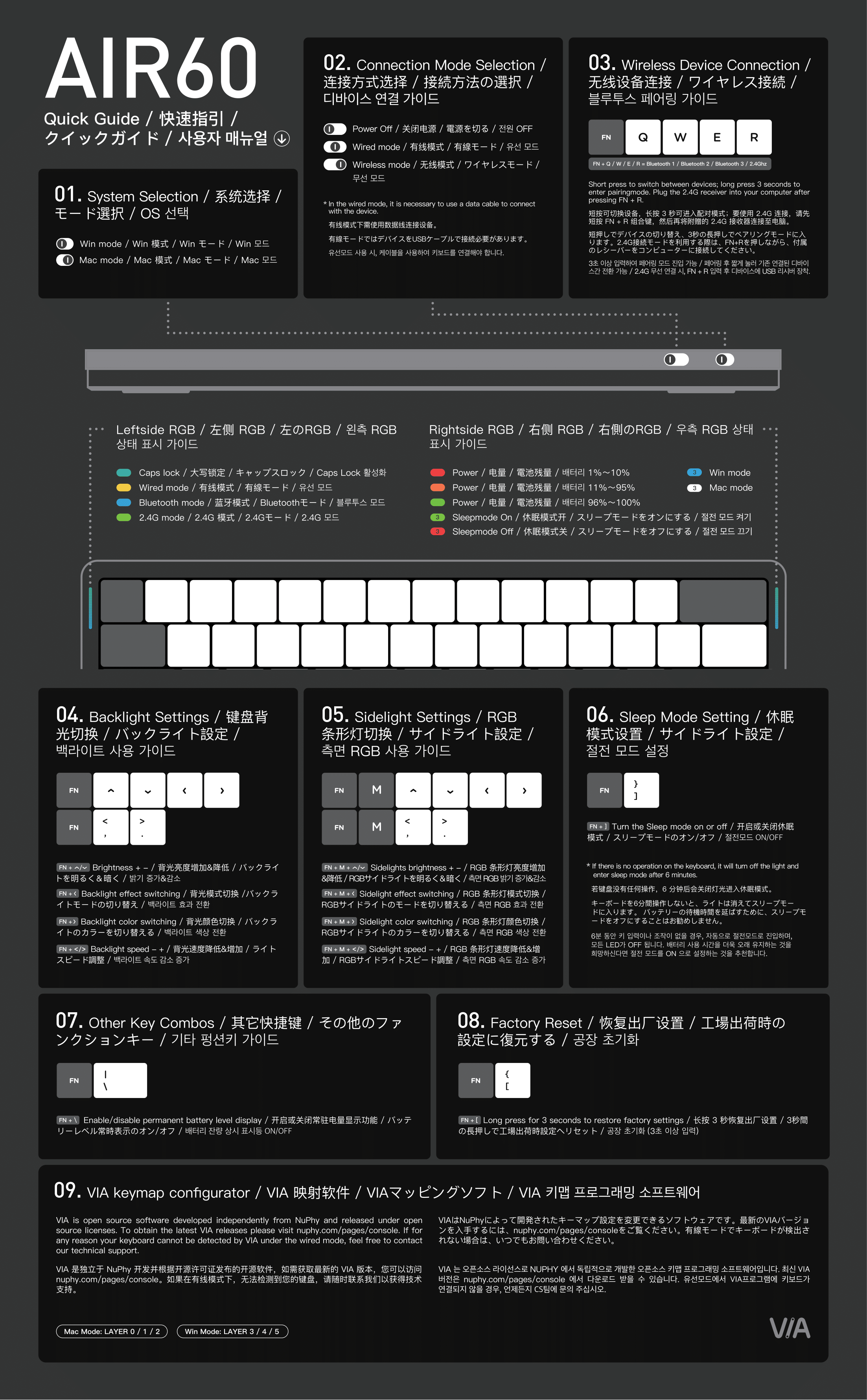
Interactive sections in the shortcut guide do not apply to Air60 V2. Configure it with VIA.
Bluetooth channels are FN + Q / W / E and 2.4G is FN + R, not the number keys.
Use the dedicated Air60 V2 manual.
Find NuPhyIO manuals, choose Node100 LP/HP and Node75 guidance, and resolve an Air60 V3 search to Air60 V2, Air60 HE or another Air V3 model.
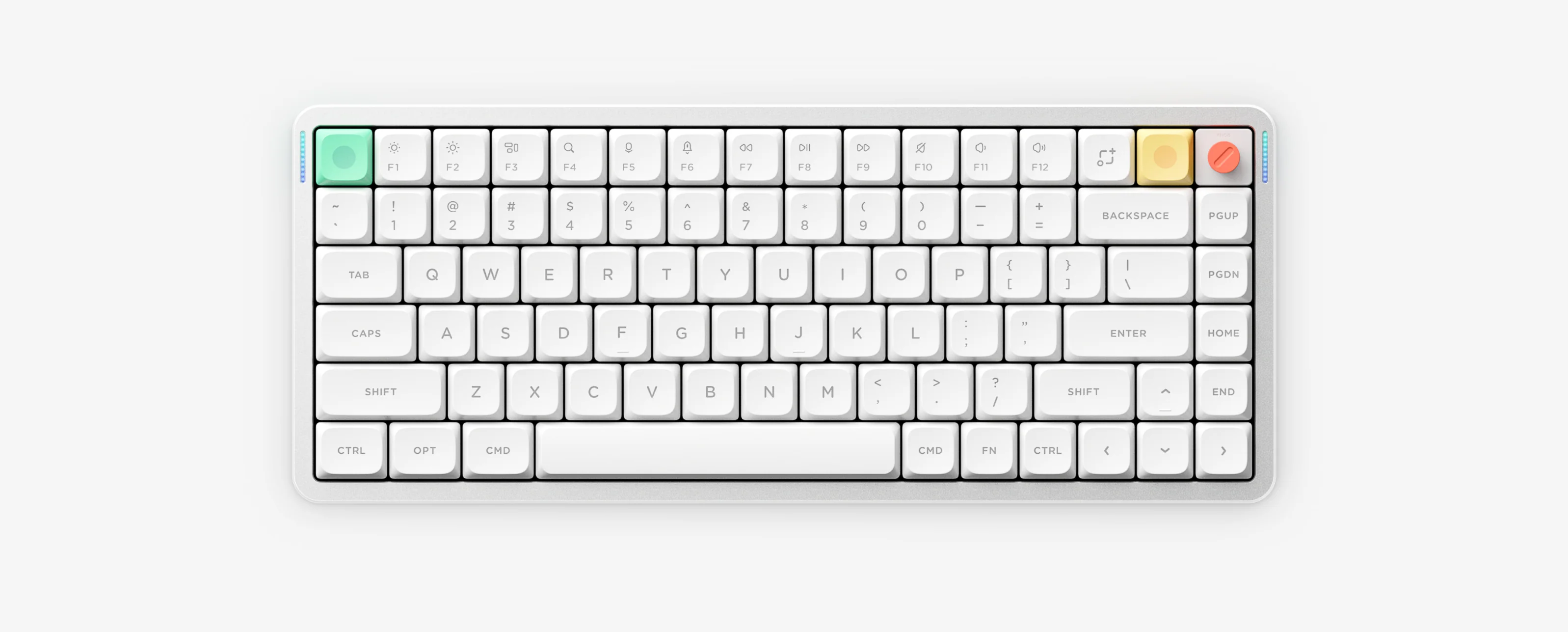
NuPhy models use different shortcuts, manuals and configuration tools. Match the name printed on your keyboard or packaging before following any instructions.
Interactive sections 01–09 apply only to Air75 V3 and Node75. Open the shortcut guide
For wireless models, select the matching model instructions and hold that model’s channel key until its indicator flashes quickly.
NuPhy’s official manual directory does not currently list an Air60 V3. Check the keyboard label or packaging for Air60 V2, Air60 HE, or another Air V3 model such as Air75 V3 before following lighting or shortcut instructions.
Check NuPhy’s official manual directoryInteractive sections in the shortcut guide do not apply to Air60 V2. Configure it with VIA.
Bluetooth channels are FN + Q / W / E and 2.4G is FN + R, not the number keys.
Use the dedicated Air60 V2 manual.
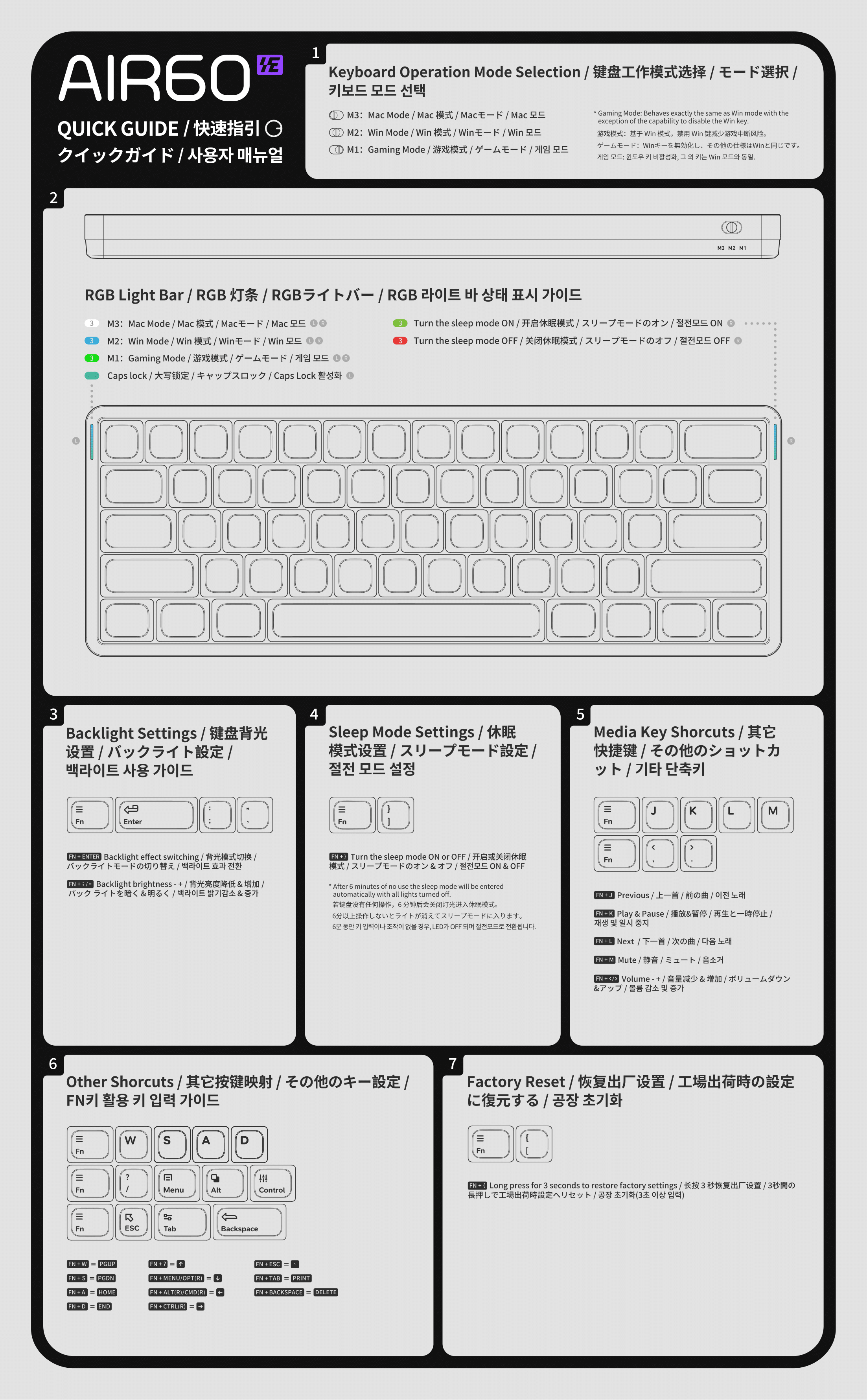
Air60 HE is a wired magnetic-switch keyboard configured with NuPhyIO.
Choose Mac, Win or Gaming mode. This wired model has no wireless pairing instructions.
Use the dedicated Air60 HE manual.
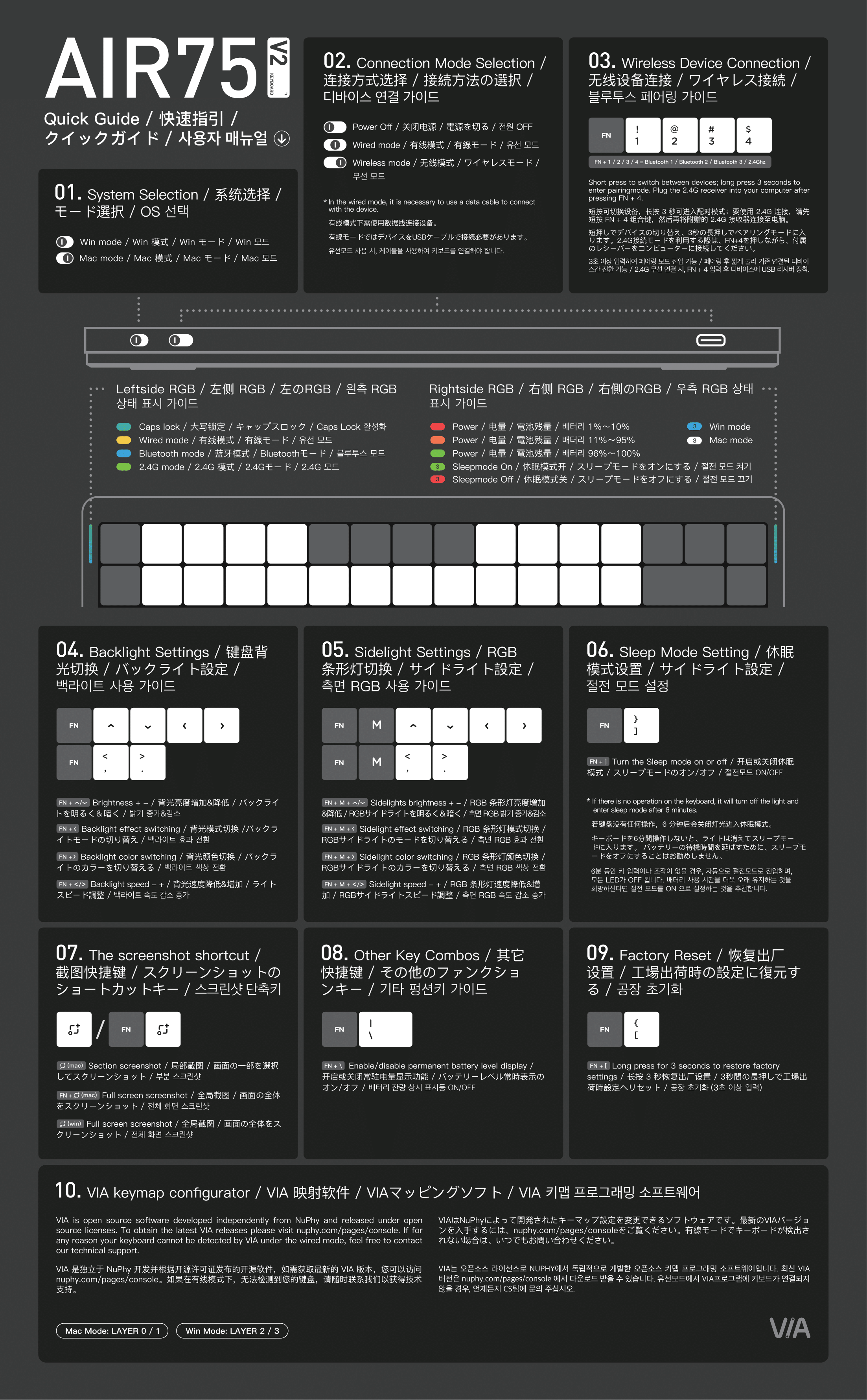
Shortcut guide sections 01–09 apply to Air75 V2. Configure it with VIA.
Use FN + 1 / 2 / 3 for Bluetooth channels and FN + 4 for 2.4G.
Use the dedicated Air75 V2 manual.
Air75 V3 uses NuPhyIO and has its own shortcuts and matching ANSI, ISO or JIS manual.
FN + 1 / 2 / 3 selects Bluetooth and FN + 4 selects 2.4G. FN + Up / Down changes brightness, FN + Left changes effect, FN + Right changes color, and FN + , / . changes speed. Its replaceable knob rotates, presses and is configurable in NuPhyIO.
Select the manual that matches the ANSI, ISO or JIS layout.
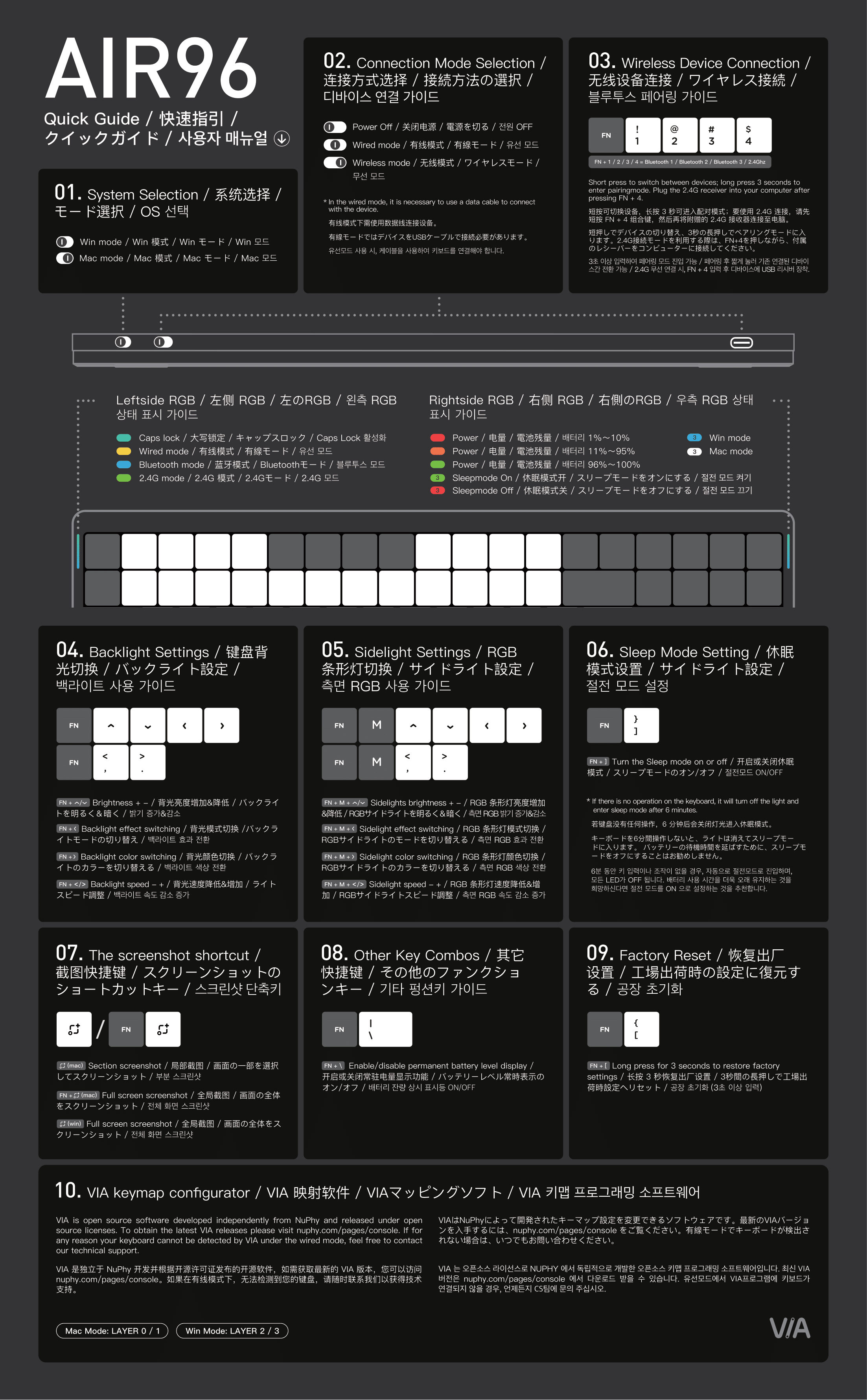
Shortcut guide sections 01–09 apply to Air96 V2. Configure it with VIA.
Use FN + 1 / 2 / 3 for Bluetooth channels and FN + 4 for 2.4G.
Use the dedicated Air96 V2 manual.
Node75 Low-Profile is configured with NuPhyIO.
For Node75 sleep mode, connections and shortcuts, use the official manual matching LP/HP and the keyboard layout.
The local PDF covers Node75 Low-Profile only. Node75 HP users should use the official manual center.
Node100 is available in Low-Profile (LP) and High-Profile (HP) versions and is configured with NuPhyIO.
Confirm LP or HP first, then choose the official manual matching the ANSI, ISO or JIS keyboard layout.
Node100 manuals come from the NuPhyIO official manual center; this site does not duplicate files that may become outdated.
These specifications describe Air75 V3. Choose the matching layout manual before using shortcuts or updating firmware.
ANSI version: 75%, 84 keys. JIS and ISO users need the matching manual.
Low-profile 3.0 Nano switches with 3.5 mm travel.
Gasket mount, hot-swap, N-key rollover and north-facing RGB with 20 modes.
2.4GHz, USB-C wired and Bluetooth 5.0.
Wired and 2.4GHz: 1000Hz; Bluetooth: 125Hz.
Aluminum top, ABS bottom, PC plate and double-shot PBT keycaps.
318.9 × 128.9 × 13.2 mm; 724 g; 4° / 8° / 10° typing angles.
macOS, Windows, Android and iOS only.
4000mAh. Based on laboratory data: 60–100 hours with all lights on, and up to 1200 hours with RGB off.
The replaceable knob rotates, presses and is configurable in NuPhyIO.