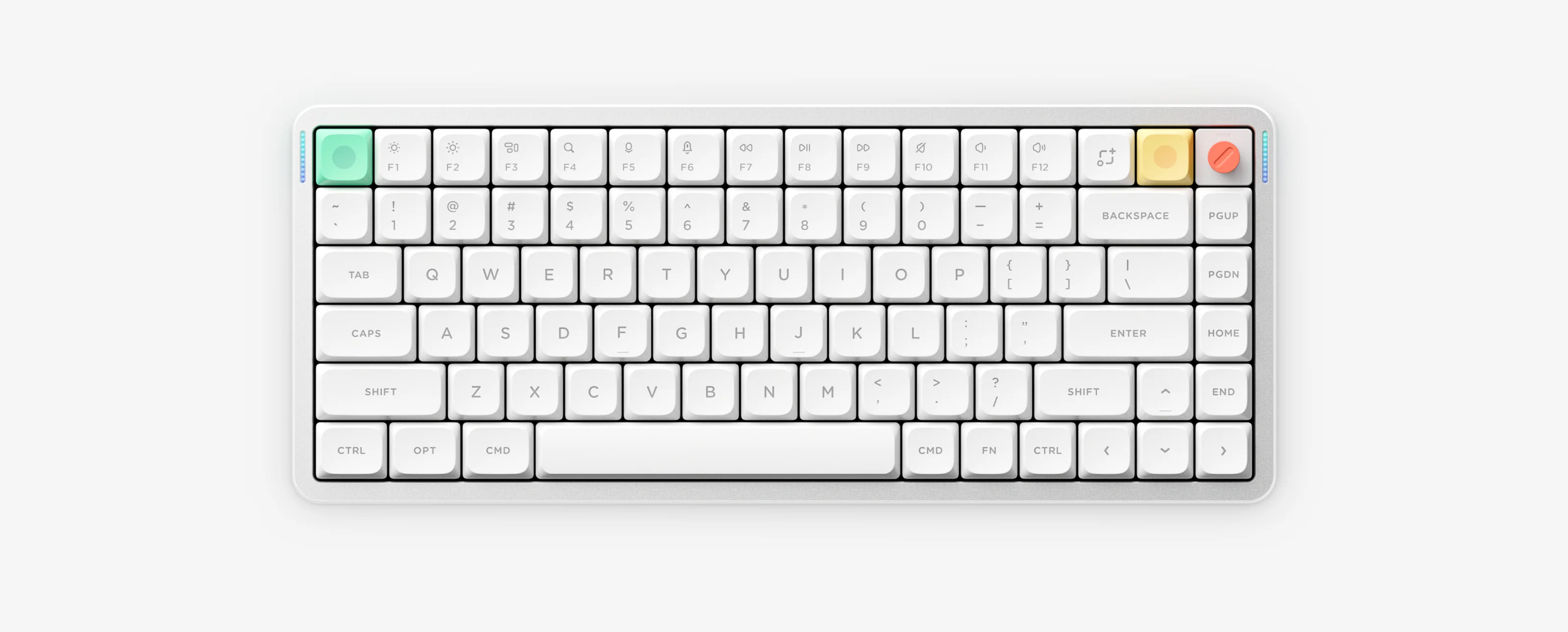
Air75 HE is a wired-only 75% (84-key) low-profile magnetic Hall-effect keyboard delivering an 8,000Hz polling and PCB scan rate (~0.1–0.125ms latency), 0.1–3.3mm adjustable actuation, and 0.01mm Rapid Trigger through NuPhyIO.
Air75 HE 10-Second Cheat Sheet
- Connectivity & speed
- Wired USB-C only — 8,000Hz polling & PCB scan rate
- Physical mode switch
- M3 (Mac) / M2 (Win) / M1 (Gaming — Win key disabled)
- Actuation & RT
- 0.1–3.3mm actuation; 0.01mm Rapid Trigger in NuPhyIO
- Turn off backlight
- FN + Tab toggles keyboard backlight on/off
- Sleep & reset
- FN + ] (6-min sleep toggle); FN + [ (hold 3s reset)
Verified Air75 HE Shortcuts & Hardware Switch
- M3 / M2 / M1 switch M3 = Mac mode, M2 = Windows mode, M1 = Gaming mode (Win key disabled)
- FN + Tab Toggle keyboard backlight on or off
- FN + ↑ / ↓ / ← / → Adjust backlight brightness, effect and color
- FN + < / > Decrease or increase backlight speed
- FN + M + ↑ / ↓ / ← / → / < / > Adjust sidelight brightness, effect, color and speed
- FN + ] Toggle 6-minute idle lighting sleep mode
- FN + [ Hold 3 seconds to factory reset
- Screenshot / FN + Screenshot Mac area/full screenshot or Windows full screenshot
Wired Magnetic Architecture Notes
- Air75 HE has a CNC aluminum frame, south-facing RGB plus sidelight (316.4 × 132.5 × 12.8–18.4 mm, ~702 g), and 84 ANSI keys.
- There is no Bluetooth, 2.4G dongle, battery, or battery indicator LED — connect directly to a computer USB port with a data-capable USB-C cable.
- Use NuPhyIO (nuphy.io in Chrome or Edge) to tune per-key actuation (0.1–3.3mm), Rapid Trigger (0.01mm), SOCD/dynamic actions, and M1/M2/M3 profiles.
Air75 HE Specifications
Layout
75%, 84 keys (ANSI), CNC aluminum frame.
Switches
Low-profile magnetic Hall-effect switches.
Polling & scan rate
8,000Hz USB polling rate and 8,000Hz PCB scan rate (~0.1–0.125ms latency).
Actuation & Rapid Trigger
0.1–3.3mm adjustable actuation; 0.01mm Rapid Trigger precision.
Hardware mode switch
M3 (Mac), M2 (Win), M1 (Gaming — Win key disabled).
Connectivity
USB-C wired only (no battery, no Bluetooth, no 2.4G).
Lighting
South-facing RGB backlight plus sidelight; FN + Tab backlight toggle.
Size and weight
316.4 × 132.5 × 12.8–18.4 mm; ~702 g.
Configuration tool
NuPhyIO (WebHID in Chrome or Microsoft Edge).
Air75 HE Official Manuals & NuPhyIO
Air75 HE Frequently Asked Questions
What do the M3, M2 and M1 switch positions do on Air75 HE?
M3 enables Mac layout mode, M2 enables standard Windows mode, and M1 enables Gaming mode (Windows mode with the Windows key disabled to prevent accidental presses).
How do I turn off the backlight on Air75 HE?
Press FN plus Tab to toggle the keyboard backlight on or off immediately, or use FN plus the right bracket key to enable 6-minute idle sleep.
Why does Air75 HE have no wireless pairing or battery indicator?
Air75 HE is wired-only via USB-C so it can sustain an 8,000Hz polling and PCB scan rate without a battery.
How do I configure Rapid Trigger and 0.1–3.3mm actuation?
Connect Air75 HE directly via USB-C and open NuPhyIO in Google Chrome or Microsoft Edge to customize per-key actuation, 0.01mm Rapid Trigger and M1, M2 and M3 layers.