NuPhyIO & VIA Setup
Find out if your keyboard uses NuPhyIO 2.0 or QMK/VIA, fix WebHID browser and USB-C errors, and protect dual-edition boards.
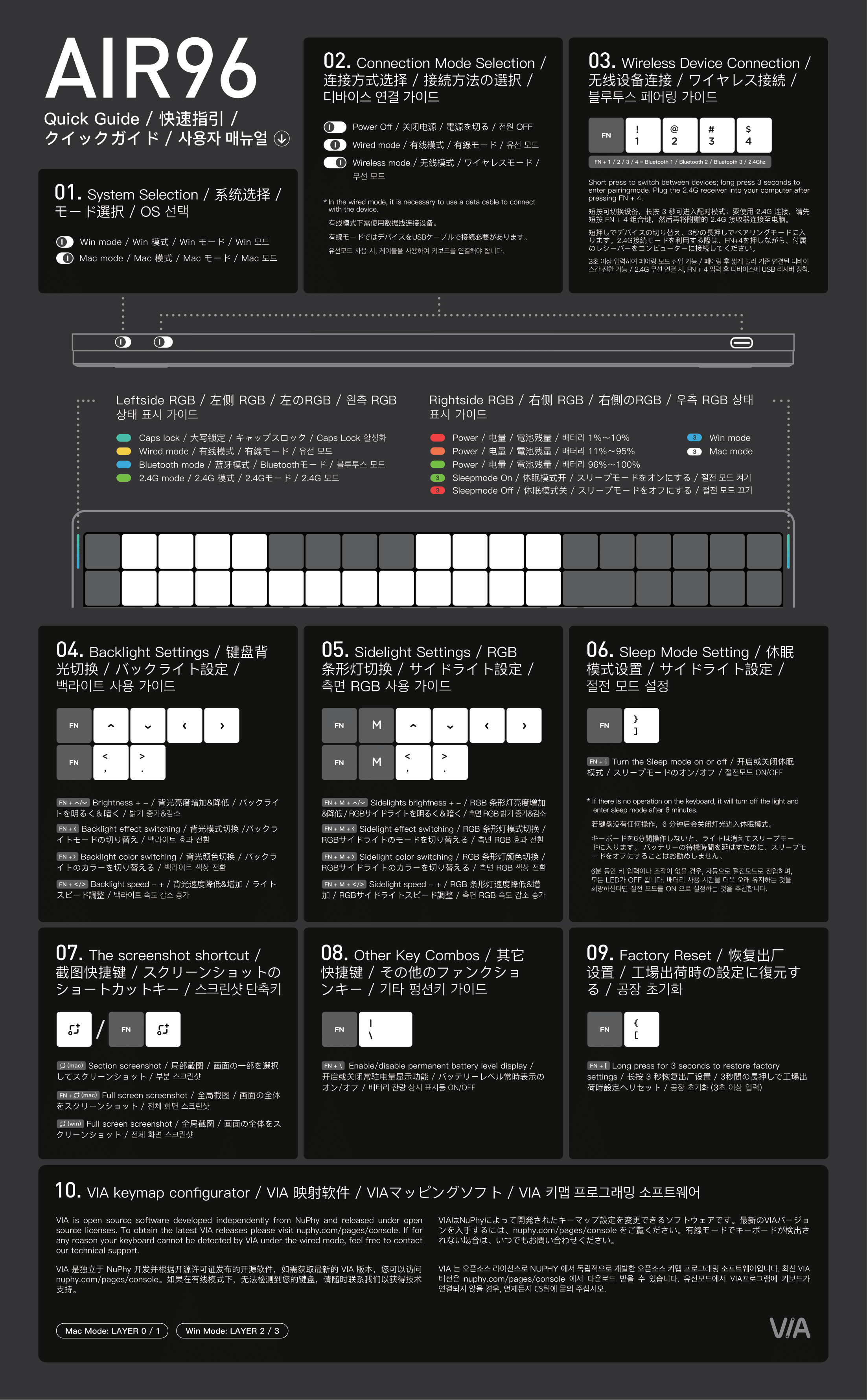
NuPhy Air96 V2 shortcuts and VIA guide: 100-key 96% low-profile layout with numpad, FN + 1/2/3/4 wireless, RGB backlight, FN + \ battery LED and FN + [ reset.
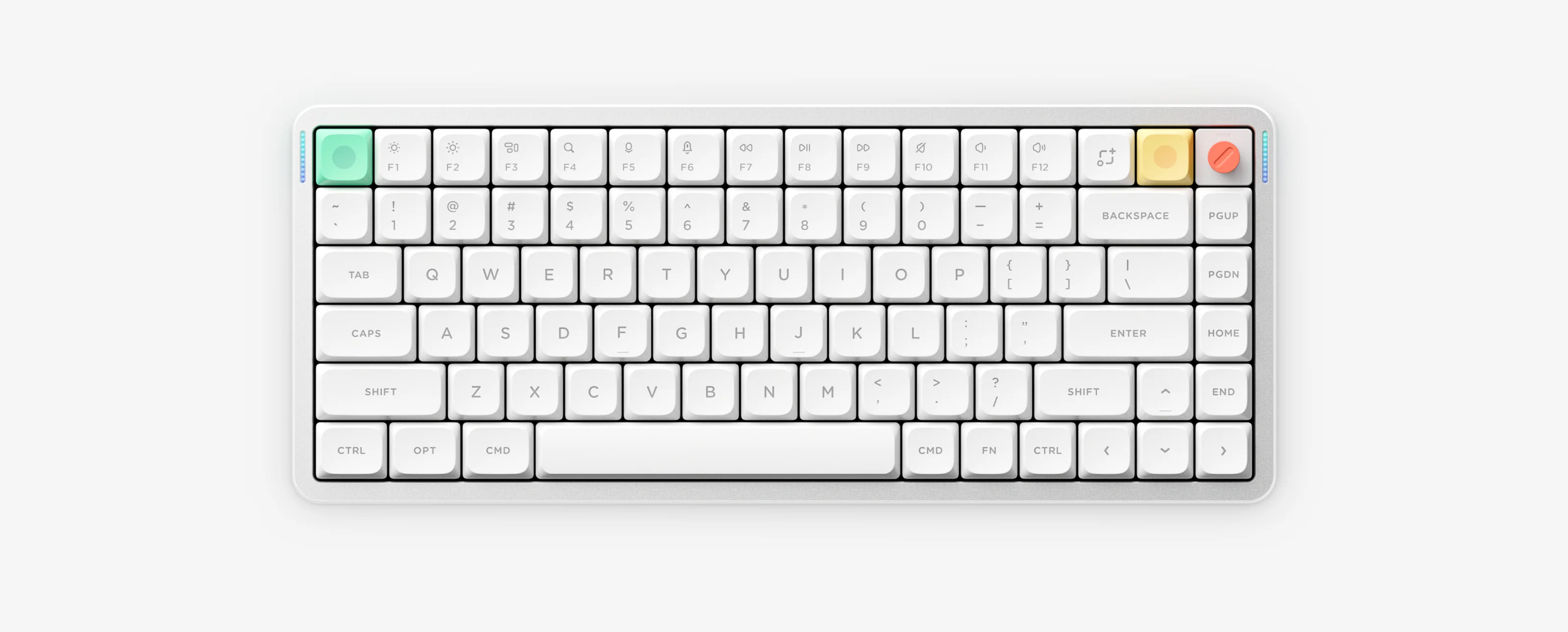
Air96 V2 packs a full numpad into a 100-key 96% low-profile tri-mode layout configured with QMK/VIA. It shares the same wireless channel, RGB, sleep, battery LED tier and factory reset shortcuts as Air75 V2.
Air96 V2 uses QMK and VIA via NuPhy Console in Chrome or Microsoft Edge while wired over USB-C. It does not use NuPhyIO.
Press FN plus the backslash key to toggle the persistent right-side battery bar: Green indicates 96 to 100 percent, Orange indicates 11 to 95 percent and Red indicates 1 to 10 percent.
Use FN plus the Down arrow to lower brightness or turn on 6-minute auto-sleep with FN plus the right bracket key.
Hold FN plus the left bracket key for 3 seconds to clear keymaps and wireless pairings, then re-pair your Bluetooth channels.